COURSE · AD STUDIO
V-RAY FOR 3DS MAX
Use V-Ray in 3ds Max with confidence to create realistic, high-quality renders.
- STARTSTo be announced
- FEE$100
Live online · Lifetime replay
Early enrollment: we email you the start date and schedule.
OVERVIEW
ABOUT THE COURSE
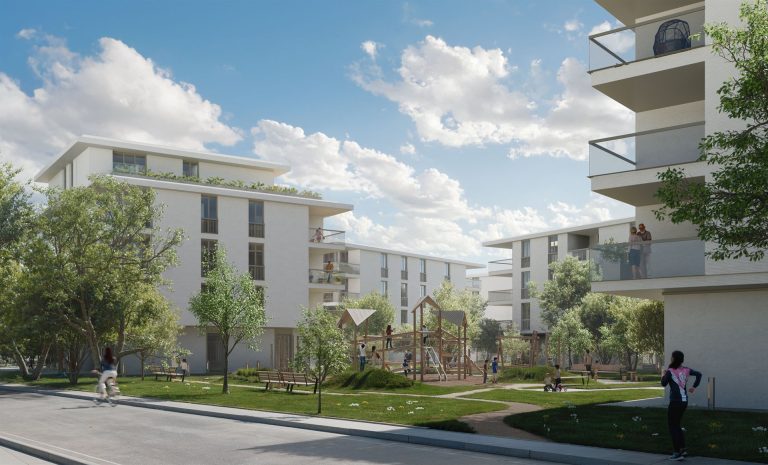
3ds Max with V-Ray is the standard toolset of professional visualization studios. This course teaches you to render realistic images in 3ds Max: cameras, lighting, materials, scattering vegetation, managing heavy scenes, render settings and post-production. The content follows a studio workflow so you can produce commercial-quality images.
WHO IT IS FOR
THIS COURSE IS FOR
- People with basic 3ds Max skills who want to render professionally.
- Visualizers who want to work at a visualization studio.
- SketchUp users moving to 3ds Max for high-end images.
OUTCOMES
AFTER THE COURSE YOU WILL
Set up project, units and colour management for V-Ray.
Use the physical camera and exposure like a real camera.
Build realistic exterior and interior lighting.
Create VRayMtl and VRayBlendMtl materials with UVW mapping.
Scatter vegetation with Chaos Scatter and manage heavy scenes with proxies.
Set up rendering, Light Mix and finishing post-production.
CURRICULUM
WHAT YOU WILL LEARN
Module 1 Getting started with V-Ray in 3ds Max
- Units and colour management
- V-Ray Frame Buffer
- Interactive rendering (IPR)
Module 2 Camera
- Physical camera and exposure
- Depth of field
- Composition and vertical correction
Module 3 Lighting
- V-Ray Sun and Sky
- Dome Light with HDRI
- V-Ray Light and IES lights
Module 4 Materials
- VRayMtl
- VRayBlendMtl and layered materials
- UVW mapping
Module 5 Heavy scenes and landscape
- VRayProxy
- Scattering vegetation with Chaos Scatter
- VRayFur for rugs and grass
Module 6 Render settings
- Bucket and Progressive modes
- Denoiser and Render Elements
- Light Mix in the VFB
Module 7 Post-production and project
- Post-production in Photoshop
- Colour and atmosphere
- Finishing the project image set
WHAT IS INCLUDED
YOU GET
- Live online sessions with the instructor on the course schedule.
- Lifetime replay of the lesson videos in My Account > My courses.
- Practice scene files for each session.
FEE
ENROLL
V-Ray for 3ds Max
$100
One-time payment · Lifetime video replay
Early enrollment: we email you the start date and schedule.
ENROLL NOWFAQ
BEFORE YOU ENROLL
Do I need to know 3ds Max first?
Yes. You need basic modeling and navigation skills in 3ds Max.
What computer do I need?
At least 16 GB of RAM and a multi-core CPU make rendering comfortable. Weaker computers still work but render more slowly.
How do the online classes work?
Sessions run live online on each course schedule. The class link is in My courses in your account.
Can I watch the lessons again?
Yes. Lesson videos are added to your account and you can replay them for life.
How do I pay and get my account?
Pay by QR bank transfer (confirmed automatically) or PayPal. We create an account for your email and send a link to set your password.