COURSE · AD STUDIO
CORONA RENDER
In-depth Corona rendering: lighting setup, shading, cameras and post-production for high-quality images, fast.
- STARTSTo be announced
- LENGTH8 sessions
- FEE$80
Live online · Lifetime replay
Early enrollment: we email you the start date and schedule.
OVERVIEW
ABOUT THE COURSE
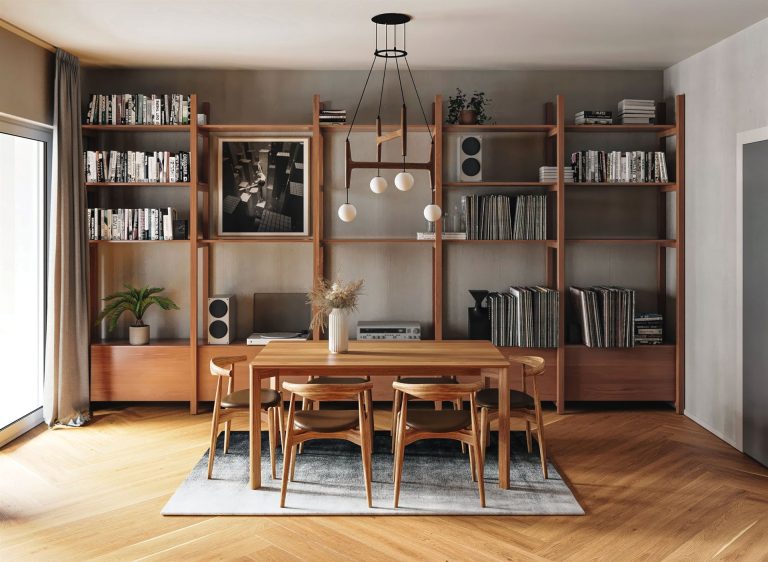
Corona Render is known for being easy to use while producing very realistic images. The course goes straight to what you need at work: camera setup, exterior and interior lighting, materials, LightMix for adjusting lights after rendering, render-time optimisation and post-production. After 8 sessions you can render a quality set of interior and exterior images in a short time.
WHO IT IS FOR
THIS COURSE IS FOR
- People who can model and want realistic renders, fast.
- Visualizers using another engine who want to switch to Corona.
- Architects and interior designers who need to render for their clients.
OUTCOMES
AFTER THE COURSE YOU WILL
Set up cameras and exposure like a real camera.
Light exteriors with Sun & Sky and HDRI.
Light interiors evenly, without burnt highlights or dark corners.
Create realistic Corona Physical Materials.
Use LightMix and tone mapping to get several options from one render.
Cut render time and finish the image set in post-production.
CURRICULUM
WHAT YOU WILL LEARN
Module 1 Getting started with Corona
- Project and unit setup
- Interactive Rendering
- Corona VFB and the key settings
Module 2 Camera
- Camera, focal length and exposure
- Depth of field
- Correcting vertical lines
Module 3 Exterior lighting
- Corona Sun & Sky
- HDRI lighting
- Sun direction and time of day
Module 4 Interior lighting
- Daylight through windows
- Corona Light and IES lights
- Balancing light in a room
Module 5 Materials
- Corona Physical Material
- Wood, stone, glass, metal and fabric
- Layered materials
Module 6 LightMix and tone mapping
- Adjust lights after rendering with LightMix
- Tone mapping in the VFB
- Several lighting options from one render
Module 7 Render optimisation
- Denoiser and render time limits
- Render passes
- Handling heavy scenes with proxies
Module 8 Post-production and delivery
- Post-production in Photoshop
- Colour and atmosphere
- Exporting the final image set
WHAT IS INCLUDED
YOU GET
- Live online sessions with the instructor on the course schedule.
- Lifetime replay of the lesson videos in My Account > My courses.
- Practice scene files for each session.
FEE
ENROLL
Corona Render
$80
One-time payment · Lifetime video replay
Early enrollment: we email you the start date and schedule.
ENROLL NOWFAQ
BEFORE YOU ENROLL
Which host application is Corona taught in?
Each intake’s schedule states the modeling software used. Lighting, materials and LightMix work the same across Corona versions.
Do I need rendering experience?
Not required, but you need basic modeling skills to have a scene to practise on.
How do the online classes work?
Sessions run live online on each course schedule. The class link is in My courses in your account.
Can I watch the lessons again?
Yes. Lesson videos are added to your account and you can replay them for life.
How do I pay and get my account?
Pay by QR bank transfer (confirmed automatically) or PayPal. We create an account for your email and send a link to set your password.