COURSE · AD STUDIO
CHAOS VANTAGE
Master Chaos Vantage to cut render time for still images while keeping excellent quality.
- STARTSTo be announced
- FEE$80
Live online · Lifetime replay
Early enrollment: we email you the start date and schedule.
OVERVIEW
ABOUT THE COURSE
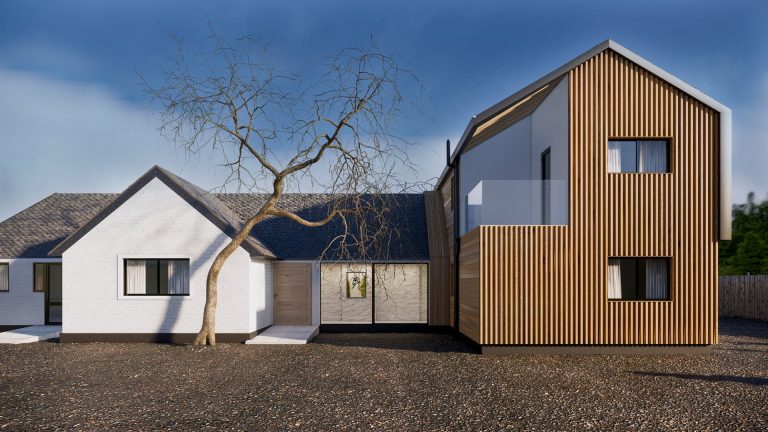
Chaos Vantage renders in real time on the graphics card, so you see results instantly and export quality images in seconds instead of tens of minutes. The course shows how to bring scenes from SketchUp or 3ds Max into Vantage, set up cameras, lighting and materials, add vegetation and objects, then export high-quality still images and batch-render many views.
WHO IT IS FOR
THIS COURSE IS FOR
- Visualizers who want to cut render time.
- Design offices that need many image options quickly.
- V-Ray users who want a real-time rendering tool.
OUTCOMES
AFTER THE COURSE YOU WILL
Bring scenes from SketchUp or 3ds Max into Vantage with Live Link.
Set up cameras and save many views.
Light day, sunset and night scenes in real time.
Adjust materials and add objects and vegetation from Chaos Cosmos.
Export high-quality still images and batch-render many views.
CURRICULUM
WHAT YOU WILL LEARN
Module 1 Getting started with Vantage
- Ray-tracing graphics card requirements
- Live Link from SketchUp and 3ds Max
- Interface and navigation
Module 2 Camera and composition
- Camera, focal length and depth of field
- Saving and managing many views
- Composition for interiors and exteriors
Module 3 Lighting
- Sun & Sky and HDRI
- Artificial lights
- Time of day
Module 4 Materials and environment
- Adjusting materials in Vantage
- Adding objects and vegetation from Chaos Cosmos
- Environment and sky
Module 5 High-quality still images
- Quality settings and denoising
- Lens effects and tone mapping
- High-resolution export
Module 6 Fast production workflow
- Batch-rendering many views
- Working with V-Ray for high-end images
- Finishing the project image set
WHAT IS INCLUDED
YOU GET
- Live online sessions with the instructor on the course schedule.
- Lifetime replay of the lesson videos in My Account > My courses.
- Practice scene files for each session.
FEE
ENROLL
Chaos Vantage
$80
One-time payment · Lifetime video replay
Early enrollment: we email you the start date and schedule.
ENROLL NOWFAQ
BEFORE YOU ENROLL
What computer do I need?
Vantage needs a ray-tracing graphics card, such as an NVIDIA RTX. Check your graphics card before you enroll.
Do I need to know V-Ray first?
Not required. You need to model in SketchUp or 3ds Max to have a scene to bring into Vantage.
How do the online classes work?
Sessions run live online on each course schedule. The class link is in My courses in your account.
Can I watch the lessons again?
Yes. Lesson videos are added to your account and you can replay them for life.
How do I pay and get my account?
Pay by QR bank transfer (confirmed automatically) or PayPal. We create an account for your email and send a link to set your password.