COURSE · AD STUDIO
ARCHVIZ FOUNDATION
Build a foundation in lighting, materials and composition on real projects for clean, accurate and deep visuals.
- STARTSTo be announced
- LENGTH16 sessions
- FEE$240
Live online · Lifetime replay
Early enrollment: we email you the start date and schedule.
OVERVIEW
ABOUT THE COURSE
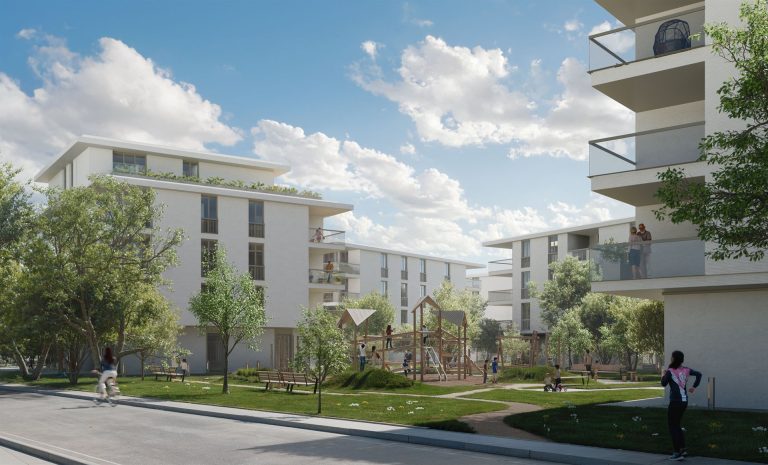
Archviz Foundation is a core course in architectural visualization. Instead of only learning software settings, you learn how a good image is made: choosing the view, building the lighting, getting materials right, adding detail for depth and finishing in post-production. Every part is done on a real project, so after 16 sessions you have a finished set of renders and a workflow you can reuse on any project.
WHO IT IS FOR
THIS COURSE IS FOR
- Architects and drafters who want to render their own projects.
- People who can already model but whose renders still look flat.
- Architecture and interior students who want strong images for their portfolio.
- Anyone who wants to work as a professional architectural visualizer.
OUTCOMES
AFTER THE COURSE YOU WILL
Choose camera angles and compositions that tell the building’s story.
Build intentional daylight, sunset and night lighting.
Create realistic PBR materials for wood, stone, glass, metal and fabric.
Add trees, people, cars and decor for depth while keeping the scene light.
Control render quality and fix noise and common problems.
Post-produce colour, light and atmosphere to finish the image set.
CURRICULUM
WHAT YOU WILL LEARN
Module 1 Thinking in architectural images
- Read the brief and analyse references
- Build a moodboard and set the style
- How a set of renders is produced
Module 2 Composition and camera
- Focal length, eye height and vertical lines
- Common composition rules
- Choosing views for exteriors and interiors
Module 3 Daylight
- Sun, sky and HDRI
- Sun direction by time of day and season
- Balancing light, shadow and contrast
Module 4 Artificial and night lighting
- Colour temperature and intensity
- Functional and decorative lights
- Sunset and night scenes
Module 5 PBR materials
- How PBR materials work
- Wood, stone, glass, metal and fabric
- Texture scale and avoiding repetition
Module 6 Landscape and detail
- Trees, grass, people and cars
- Decor that adds depth
- Optimising heavy scenes
Module 7 Rendering and quality control
- Render settings for still images
- Render passes for post-production
- Fixing noise and common problems
Module 8 Post-production and final project
- Post-production in Photoshop
- Colour, light and atmosphere
- Finishing and reviewing the final image set
WHAT IS INCLUDED
YOU GET
- Live online sessions with the instructor on the course schedule.
- Lifetime replay of the lesson videos in My Account > My courses.
- Practice project files used throughout the course.
- Review of your final image set.
FEE
ENROLL
Archviz Foundation
$240
One-time payment · Lifetime video replay
Early enrollment: we email you the start date and schedule.
ENROLL NOWFAQ
BEFORE YOU ENROLL
Do I need modeling skills first?
Yes. You should be able to build a basic model so you can focus on lighting, materials and composition. If not, take SketchUp MasterClass first.
What computer do I need?
A dedicated graphics card and at least 16 GB of RAM make rendering comfortable. Weaker computers still work but render more slowly.
How do the online classes work?
Sessions run live online on each course schedule. The class link is in My courses in your account.
Can I watch the lessons again?
Yes. Lesson videos are added to your account and you can replay them for life.
How do I pay and get my account?
Pay by QR bank transfer (confirmed automatically) or PayPal. We create an account for your email and send a link to set your password.